Yurt Dışına Seyahat Ederken eSIM Nasıl Kullanılır?
In an era of seamless global travel, staying connected is more important than ever. With eSIM technology, you can hit the ground running — no physical SIM swap, no roaming shock. This guide walks you through exactly how to use a travel eSIM, step by step, while making sure you avoid common pitfalls and get the most from your connectivity.
🌐 Step 1: Ensure Device & Carrier Compatibility
Before you purchase or activate an eSIM for travel, confirm these:
-
Your smartphone supports eSIM (and is unlocked from any carrier lock). Simbud+2Lonely Planet+2
-
The eSIM provider offers coverage in your destination country (or region). my.trip.com+1
-
If needed, your current SIM plan has roaming turned off (if using the eSIM for data only) to avoid unwanted roaming charges. Rick Steves Community+1
✈️ Step 2: Purchase & Install the eSIM
-
Choose a plan that fits your travel duration, data needs, and destination(s). WIRED+1
-
Purchase online while still on a stable internet connection (ideally before departure). Nomad+1
-
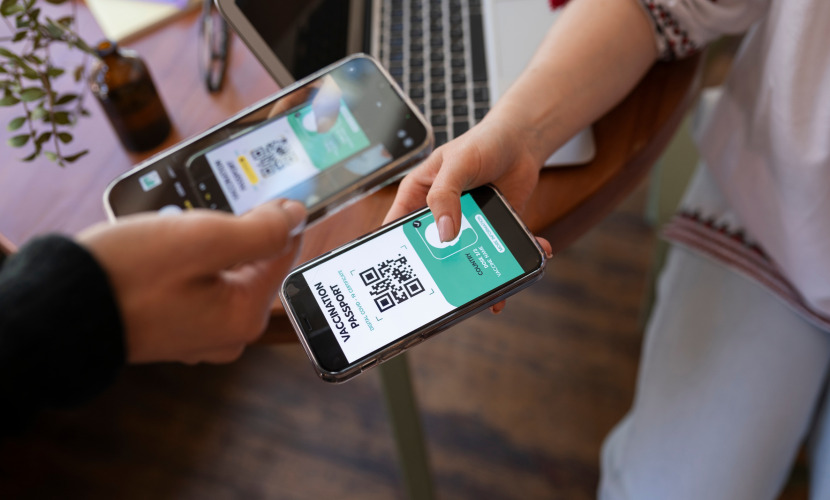
Receive your activation kit (QR code or manual activation details). Simbud
-
On your device:
-
For iPhone: Settings → Cellular → Add eSIM and scan the QR. Apple Destek
-
For Android: Settings → Network & internet → SIMs → Add eSIM/Download SIM or scan QR. Nomad+1
-
-
Label the eSIM profile (e.g., “Travel Data”), enable data roaming for that line if needed, and make sure your main line is configured appropriately (calls/texts vs data). Rick Steves Community+1
✅ Step 3: Using the eSIM at Your Destination
-
Upon landing, activate the eSIM profile if not yet active. If you installed it ahead of time, just switch to it for mobile data. WIRED
-
In your settings, set the eSIM as your primary “Mobile Data” line, while your regular SIM (if kept) can remain for voice/SMS or be disabled for data. Rick Steves Community
-
Ensure “Data Roaming” is enabled for the eSIM line. If you’re using your home SIM only for calls/texts, disable data roaming on that line to avoid immense roaming charges. WIRED+1
-
Use WiFi whenever available to conserve mobile data; monitor your eSIM usage via provider’s app or device settings. Simbud+1
🔍 Step 4: Tips & Tricks for Best Experience
-
Activate your eSIM before you depart — this avoids landing with no connectivity. TechRadar
-
Monitor how much data you’ll likely need: casual browsing vs heavy streaming require very different amounts. WIRED+1
-
Keep your home number reachable (if desired) by leaving your primary SIM active for texts/calls, while eSIM handles data. Rick Steves Community
-
If you travel across multiple countries, consider multi-country/global eSIM plans; or be ready to switch to a new eSIM when coverage/price warrants. Simbud
-
Save the QR code or activation details in a secure place (offline copy) in case you need reinstall.
-
Confirm coverage quality: remote/rural areas may offer weaker signal even with an eSIM. Travel Like Anna
🧭 Why Choose a Travel-Focused eSIM Like Regional eSIMs
-
Instant activation: purchase ahead of time, install remotely, and land connected.
-
Transparent pricing and data plans tailored for travel (not bloated roaming charges).
-
Flexibility: switch between your home SIM and travel profile, maintain calls/texts on your primary number.
-
Multi-destination readiness: travel across countries without hunting for local SIM stores.
📌 Quick Checklist Before You Fly
-
Device is eSIM-compatible and unlocked
-
Bought a suitable travel eSIM plan
-
Installed the eSIM profile via QR or manual entry
-
Labeled the eSIM and configured data roaming settings
-
Confirmed home SIM data roaming is off (if using home line for calls/texts only)
-
Saved backup of activation info
-
Checked coverage map for destination(s)
-
Packed a WiFi/ hotspot backup in case of emergency
By following this guide, you’ll ensure your smartphone is ready for travel with minimal fuss and maximum connectivity. The next time you spot a travel moment — navigating foreign streets, sharing memories, accessing maps or banking — you’ll be connected, confident and in control with your eSIM.

2025'te Hangi Cihazlar eSIM'i Destekleyecek?
07 Tem 2025
Yaygın eSIM Aktivasyon Sorunlarını Giderme
07 Tem 2025

Mobil Bağlantının Geleceği eSIM—İşte Nedeni
19 Nis 2025